Transform Your Career with AI-Powered Microsoft 365 Skills

Master the tools that make you indispensable—and work smarter, not harder
You're a PA, EA, VA, or assistant who keeps everything running smoothly. But are you working as efficiently as you could be? AI and Microsoft 365 have transformed how the best assistants work—and it's time to join them.
Whether you're looking to upskill comprehensively, get a quick-start introduction to AI, or learn at your own pace, I have training designed specifically for assistants like you.
Explore your options below
THE CHALLENGE YOU'RE FACING
The Workplace Has Changed—Have Your Skills Kept Up?
AI tools like Microsoft Copilot and ChatGPT aren't coming—they're already here. Assistants who master these tools are getting promoted, taking on more strategic work, and reclaiming hours of their time each week.
The reality:
✅ Your executives expect you to know how to use AI and Copilot
✅ You're spending hours on tasks that AI could handle in minutes
✅ Self-teaching through Google and YouTube leaves gaps in your knowledge
✅ You want to work smarter, but you're not sure where to start
✅ You need practical, assistant-focused training—not generic tech courses
The solution?
Expert-led training designed specifically for assistants, showing you exactly how to use AI and Microsoft 365 to work faster, smarter, and more confidently.
Pick the Training That Fits Your Needs and Schedule
Most Comprehensive
Microsoft 365 Fundamentals with Copilot
The complete 4-week transformation program for assistants
Master AI-powered Microsoft 365 and become the indispensable assistant your executive can't live without.
This comprehensive 4-week live program gives you complete mastery of Copilot across every Microsoft 365 application you use daily—plus ChatGPT, prompt engineering, and AI best practices.
Format: 4 weekly modules | 2 hours each | Live online with Shelley
The Program:
Module 1: Copilot in Action - Your Productivity Partner
Before diving in, you need to understand how Microsoft 365 fits together and where Copilot lives within it. In this first session you'll discover how Copilot works securely across your files, emails, meetings, and chats, explore the different ways to access it, and learn a clear, repeatable prompting framework that works across all Microsoft 365 apps. You'll leave feeling confident about what Copilot is, where to start using it, and how to get reliable results from day one.
Module 2: Word and Excel with Copilot - From Foundations to Insights
This session builds strong foundations in Word and Excel before showing how Copilot can support and speed up your work. In Word, you'll learn how to structure documents properly using styles, themes, and templates — and why that structure makes Copilot results so much better. In Excel, you'll strengthen core skills including formulas, AutoFill, Flash Fill, and tables, then use Copilot to analyse data, suggest formulas, and generate charts. You'll finish knowing exactly when Copilot adds value and when the traditional tools are the better choice.
Module 3: PowerPoint with Copilot - Designing Impactful Presentations
This session combines essential PowerPoint skills with practical Copilot support so you can create professional presentations without starting from scratch every time. You'll learn how Slide Master, layouts, themes, and templates work together, and how to customise and save them for consistent, reusable results. Then you'll use Copilot to build presentations from a prompt or an existing file, improve individual slides, and generate images directly within PowerPoint. You'll finish knowing when to lean on Copilot and when to take manual control — spending less time on design and more time on your message.
Module 4: Copilot Café - Working Smarter with Teams & Outlook
The final session brings everything together, focusing on how Copilot supports your day-to-day communication and collaboration across Teams and Outlook. You'll use Copilot in Outlook to draft emails, summarise long threads, and get coaching on tone and clarity — plus stay on top of your inbox with scheduled prompts. In Teams, you'll recap meetings, identify action items, and catch up on chats and channels without reading everything. You'll finish the programme with a practical, everyday workflow and the confidence to keep using Copilot long after the course ends.
Delivery: 4 weekly modules, 2 hours each (8 hours total training)
What You'll Receive
- 8 hours of live, interactive training with hands-on practice
- Lifetime access to all session recordings
- Comprehensive Copilot Toolkit (prompts, templates, quick reference guides)
- Certificate of completion for each participant
- Access to exclusive participant community
- Resource library with guides and bonus materials
Perfect for you if:
- You want comprehensive AI and Microsoft 365 mastery
- You have (or are getting) Copilot access
- You learn best in live, interactive sessions
- You're ready to transform how you work
Investment:
Investment: £317 (Early Bird: £267 - save £50 when booking 6+ weeks in advance)
Quick Start
AI DuoWebinar -
ChatGPT & Copilot - Quick-start your AI journey in just 2 hours
Perfect for assistants who need to get up to speed with AI quickly and want immediate, practical takeaways.
This intensive 2-hour session introduces you to the two most powerful AI tools in your arsenal: ChatGPT and Microsoft Copilot.
What's covered:
- Understanding AI: What it is, what it isn't, and how to use it responsibly
- ChatGPT fundamentals: Writing effective prompts for emails, documents, research, and planning
- Microsoft Copilot essentials: AI-powered productivity across Microsoft 365
- Practical applications: Travel planning, meeting preparation, data analysis, task management
- Hands-on practice: Real scenarios your team faces daily
- Staying current: How to keep up with AI developments
- Custom scheduling to fit your organization's calendar
What you receive:
- 2 hours of intensive, practical training
- Session recording for review
- AI Prompts Resource Pack
- Certificate of completion
Perfect for you if:
- You need a quick introduction to AI tools
- you want immediate, practical takeaways
- You're exploring AI training before larger investment
- you have limited time but urgent need to upskill
Investment: £197
Self-Paced Course Library
Master Microsoft 365 applications on your schedule
Choose from individual courses or get the complete library—all designed specifically for assistants.
⭐Available Courses:
⭐Essential Word
⭐Essential Excel
⭐Essential PowerPoint
⭐Essential Outlook
⭐Essential Teams
⭐and many more
What You Get:
✓ Bite-sized video lessons (3-10 minutes each)
✓ Learn at your own pace, on your schedule
✓ Lifetime access to all materials
✓ Mobile-friendly learning platform
✓ Practical, immediately applicable skills
Perfect for you if:
⭐You prefer self-directed learning
⭐You need to fit training around a busy schedule
⭐You want to focus on specific applications or skills
⭐You like to learn in short, focused bursts
Investment: Individual courses from £97 | Complete library £999
Power Session - One-to-One Training
Sometimes you need focused, personal attention to tackle a specific challenge or skill gap. That's where a Power Session comes in.
Bring your real-world problems, and we'll work through them together with practical solutions you can use straight away.
Pick the duration that works for you:
⏰90 minutes - £350 - Great for a specific challenge or focused skill
⏰2 hours - £450 - Perfect for multiple issues or deeper dives
⏰3 hours - £650 - Ideal for major projects or comprehensive skill building
You'll get a pre-session chat to pinpoint your goals, personalized training built around your needs, and follow-up materials to keep you on track.
Learn from an Expert Who Understands Assistants
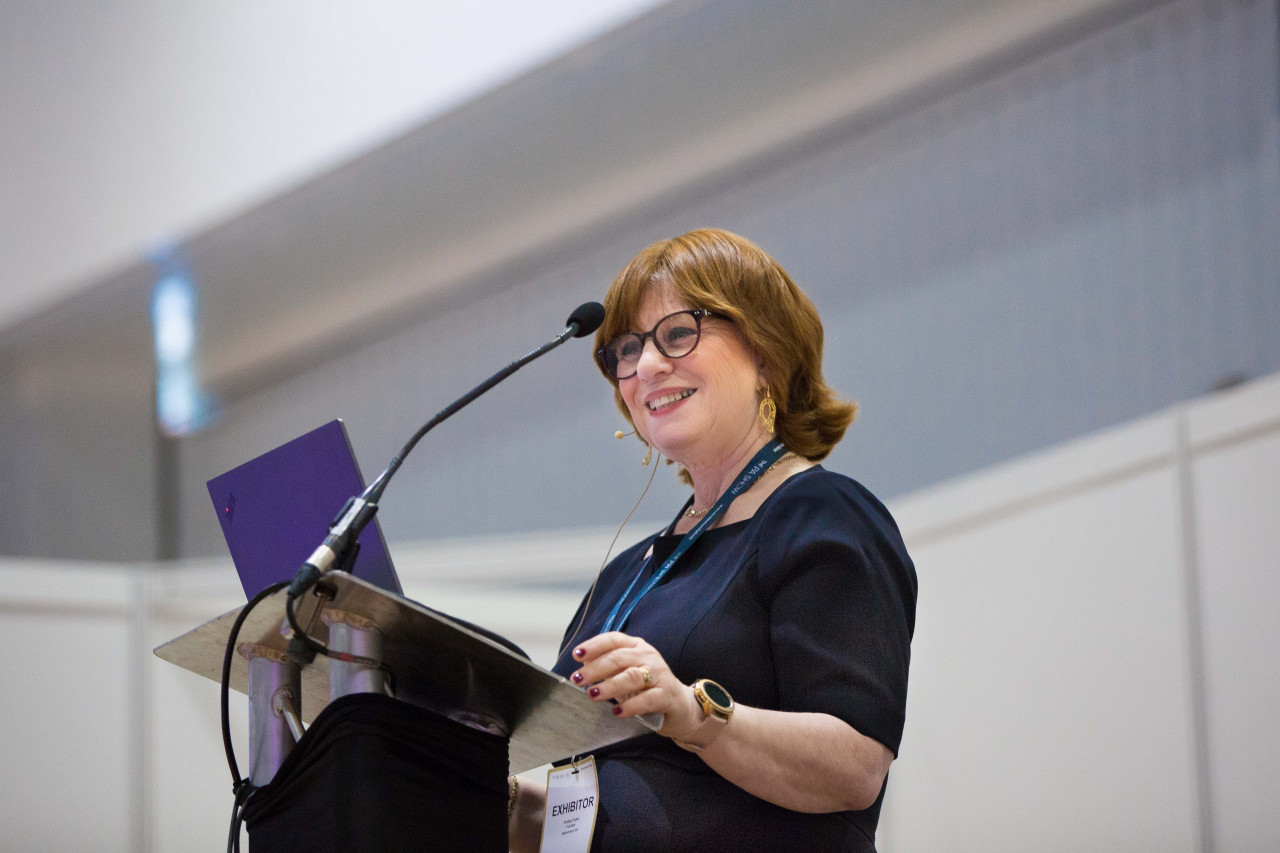
Shelley Fishel has trained assistants for over 20 years. She's authored 48 books on Microsoft Office (2.5 million copies sold worldwide) and is a Certified Learning Facilitator and Fellow of the Learning & Performance Institute.
Why Assistants Love Shelley's Training:
Designed Specifically for Assistants
Learn from an Expert Who Has Been Working with Assistants for Years!
- Every example, every exercise, every scenario is from your world
- No generic corporate training—this is built for PAs, EAs, and VAs
- Shelley gets what you do and the pressures you face
- Hands-on learning with real scenarios you face daily
- No jargon, no fluff—just skills you'll use from day one
- Learn today, implement tomorrow
- 25+ years of training experience
- Relaxed, engaging teaching style
- Happy to answer questions and explain things multiple ways
- Makes complex things simple
- Tasks that took hours now take minutes
- Confidence to tackle new challenges
- Career advancement opportunities
- Recognition as the "go-to person" for AI and Microsoft 365
WHAT ASSISTANTS ARE SAYING
"This course has benefitted me enormously in becoming the go-to person for all things AI with colleagues. Shelley uses clear examples on how to incorporate it in daily work, and the access to the recordings and additional documents is invaluable."
Elizabeth Bate
"A game-changer for my productivity. I learned how to leverage AI to streamline tasks, draft content faster, and make smarter decisions. The course was practical, easy to follow, and immediately applicable to my daily work."
Joann Bergstrom
" I can't recommend Shelley's course highly enough. Shelley's teaching style is relaxed but engaging, she's happy to take questions & go over things more than once and in different ways to help you understand."
Colin Foster
USB4Business
FREQUENTLY ASKED QUESTIONS
Do I need Copilot to take the Microsoft 365 Fundamentals course?
For the full hands-on experience, Copilot access is recommended. However, you'll still gain valuable AI concepts and Microsoft 365 skills without it. The AI Duo webinar covers both ChatGPT and Copilot, so you can benefit even if you only have access to one.
What if I'm a complete beginner with AI?
Perfect! The training is designed to meet you where you are. Beginners gain foundational skills while more experienced users discover advanced techniques they didn't know were possible.
Are the sessions recorded?
Yes! All live training sessions are recorded and you get lifetime access to the recordings.
Can I get a certificate?
Yes! You receive a certificate of completion for both the Microsoft 365 Fundamentals course and the AI Duo webinar.
What if I can't attend a live session?
No problem! You can watch the recording and still participate in the community and ask questions.
Can my organization pay for my training?
Absolutely! Many assistants have their training funded by their employers. We can provide invoices and any documentation needed. If your organization wants to train multiple assistants, check out our Organizations page.
What's your refund policy?
Once you attend an online course and have access to the recording there is no refund.
READY TO TRANSFORM HOW YOU WORK?
Choose Your Training Path and Get Started
The assistants who are thriving in 2026 aren't working harder—they're working smarter with AI and Microsoft 365.
Book a short call and I will help you choose.
Trusted by Assistants Worldwide
More than 2.5 Million Books sold worldwide
Bringing 25+ years of Microsoft training expertise
Thousands of professionals trained