Does Your Exec Actually Know What You Achieved This Week?
 Shelley Fishel Fishel
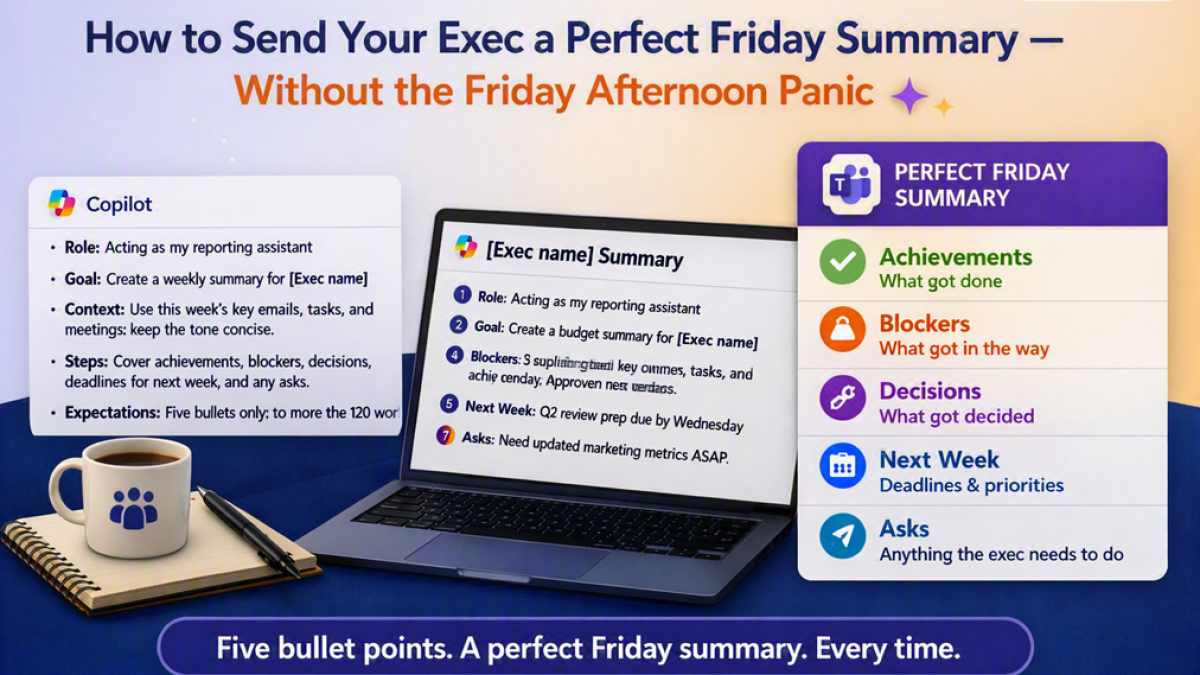
Stop staring at a blank update on Friday afternoon. This Copilot prompt pulls your week together in under two minutes
How to Send Your Exec a Perfect Friday Summary — Without the Friday Afternoon Panic
You know when it gets to Friday afternoon and someone asks for a weekly update, and your brain immediately goes blank trying to remember what you actually did this week?
The week was full. You know that. There were emails, meetings, decisions, things that nearly happened, things that got delayed. But pulling it all together into something coherent — something your exec can actually use — feels surprisingly hard when you're already running low on steam.
This is one of the best uses of Copilot there is.
Why weekly exec updates are worth doing consistently
Before the how, a quick word on the why — because a lot of people treat the Friday update as optional admin rather than a genuine professional habit.
A well-written weekly summary does several things for you. It keeps your exec informed without requiring a meeting. It creates a record of what you delivered, what you flagged, and what you asked for — which matters at review time more than people realise. And when you send it at the same time every week, it builds a rhythm of communication that makes you look organised, reliable, and on top of things.
The challenge has always been that writing a good one takes longer than it should. Copilot solves that.
How to do it: the Copilot prompt
At Koffee Island, the PA to the regional director sends a five-bullet Friday summary every week at 4pm without fail. It takes her about two minutes. She opens Copilot, pastes in any key notes from the week, and runs this prompt:
The Copilot prompt:
Role: Acting as my reporting assistant
Goal: Create a weekly summary for [Exec name]
Context: Use this week's key emails, tasks, and meetings; keep the tone concise
Steps: Cover achievements, blockers, decisions, deadlines for next week, and any asks
Expectations: Five bullets only; no more than 120 words
Copilot structures everything into five clear bullets — what was achieved, what's blocked, what decisions were made, what's coming up, and anything the exec needs to act on. She reads it through, makes any small tweaks, and sends it.
The structure of the prompt is worth noting: achievements, blockers, decisions, deadlines, and asks. That's everything an exec actually needs in a Friday update — no fluff, no narrative, just the five things that matter.
Why this helps
It takes the effort out of a task that's easy to skip. Most people stop sending Friday updates because they run out of time or energy to write them. When Copilot does the drafting, the barrier disappears.
It protects you professionally. A weekly record of what you delivered, flagged, and asked for is genuinely useful if there are ever questions about workload, progress, or communication.
It builds trust over time. An exec who receives a reliable, well-structured update every Friday at the same time starts to rely on it. That's a good position to be in.
Quick win
This Friday, try the prompt. If you don't have notes to paste in, just jot down five things from your week in any order — Copilot will structure them. Send the output to your exec at the same time you'd normally leave for the weekend.
Do it three Fridays in a row and it becomes a habit. Your exec will start expecting it — in the best possible way.
Want to build habits like this across your whole working week?
Microsoft 365 with Copilot — The Human Advantage is a practical programme that helps you use Copilot and Microsoft 365 in your real work — the kind of skills that make a visible difference, week in, week out.
👉 Enrol in Microsoft 365 with Copilot — The Human Advantage
Categories: : Copilot, Microsoft 365 with Copilot, summary, weekly summary