Got a Stakeholder Catch-Up Coming Up? Here's How to Make It Count in Five Bullets
 Shelley Fishel Fishel

Stop over-preparing for stakeholder catch-ups. This Copilot habit gets you ready in minutes, and one OneNote feature makes follow-up effortless.
How to Walk Into Any Stakeholder Update Sounding Prepared — Without Over-Preparing
You know when you've got a catch-up with a stakeholder coming up and you feel that familiar pull to either over-prepare — spending an hour pulling together far more than you'll use — or under-prepare and wing it, hoping the conversation flows naturally?
Neither extreme feels great. What you actually want is a set of clear, confident talking points that covers what matters, surfaces anything important, and gives the conversation direction — without scripting yourself into a corner.
Here's a two-part approach that gets you prepared in under five minutes, and makes the follow-up just as clean.
Before the conversation: five talking points from Copilot
The goal here isn't a comprehensive briefing document. It's five bullet points — one each covering the key areas a stakeholder actually wants to know: where things stand, what's on track, what's at risk, what needs a decision, and what's coming next.
Copilot can pull that together from your recent activity in about sixty seconds.
At Koffee Island, the project lead uses this before every update call with the area director. She doesn't rehearse a script — she just has five solid bullets open on her screen and talks to them. The conversation is focused, the director gets what she needs, and the call is usually half the time it used to be.
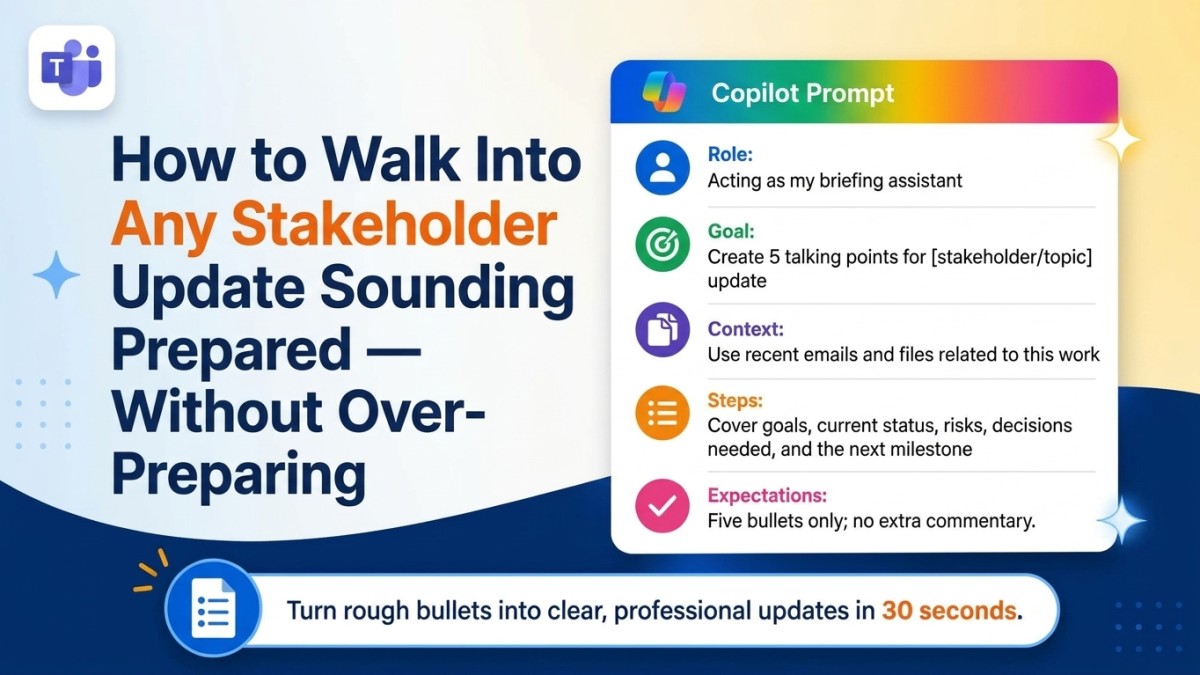
The Copilot prompt:
Role: Acting as my briefing assistant
Goal: Create 5 talking points for [stakeholder/topic] update
Context: Use recent emails and files related to this work
Steps: Cover goals, current status, risks, decisions needed, and the next milestone
Expectations: Five bullets only; no extra commentary
Copilot scans your recent emails and files on the topic and returns five clean bullets — one for each area. No padding, no extra narrative, just the five things your stakeholder needs to hear. You read them once, adjust any that need tweaking, and you're ready.
Why this helps
You stay focused during the call. Five clear bullets are easy to refer back to mid-conversation. You're not searching through notes or trying to remember what you meant to say — it's right there.
You surface issues early. The prompt specifically asks Copilot to include risks and decisions needed. That means you're not inadvertently skipping the difficult parts — they're built into the structure.
It makes the conversation more productive. Stakeholders appreciate a clear, structured update. When you know what you're going to say and say it clearly, the time available gets used for discussion and decisions rather than status recapping.
After the conversation: link directly to the right place in OneNote
Here's a small but genuinely useful thing that changes how follow-ups work.
After a stakeholder update, there's often a need to share a reference — the action log, a decision record, a specific note from a previous meeting. Most people send a link to a OneNote page and then add 'it's the third section down' or 'scroll to the bit about the supplier.'
OneNote lets you skip all of that by linking directly to a specific paragraph rather than the whole page.
Right-click on any paragraph in OneNote and choose Copy link to paragraph. What you get is a link that opens OneNote and takes the reader directly to that exact line — not the top of the page, not the notebook, exactly where you want them to look.
At Koffee Island, the ops coordinator uses this constantly after project meetings. Rather than sharing the full meeting notes page and hoping people find the right section, she copies the link to the specific action item or decision and sends that. People click, land on the right line, and respond to exactly what she needs them to see.
Why this helps
Long shared documents and notebooks are genuinely useful — but they're only useful if people can navigate them efficiently. When you send someone a link to a full page and ask them to find something, you're asking them to do work before they can even engage with the content.
A paragraph link removes that entirely. It's the difference between handing someone a book and asking them to find the right chapter, versus opening the book to the right page and handing it to them. One creates friction; the other removes it.
Quick win
Before your next stakeholder catch-up: Run the Copilot prompt above for the topic you'll be covering. Keep the five bullets open during the call. Notice how much more focused the conversation feels.
After any meeting where you share a OneNote reference: Right-click the specific paragraph or action item and use Copy link to paragraph instead of linking to the whole page. Send that link instead.
Two habits that make stakeholder communication noticeably cleaner — before, during, and after the conversation.
Ready to communicate with stakeholders like this every week?
Microsoft 365 with Copilot — The Human Advantage is a practical programme that teaches you the real-world skills and habits that make every stakeholder interaction more focused, more confident, and more productive.
👉 Enrol in Microsoft 365 with Copilot — The Human Advantage
Categories: : Copilot, Microsoft 365 with Copilot, preparation, stakeholder