Turn Meeting Notes Into a Clear Task List — With Copilot
 Shelley Fishel
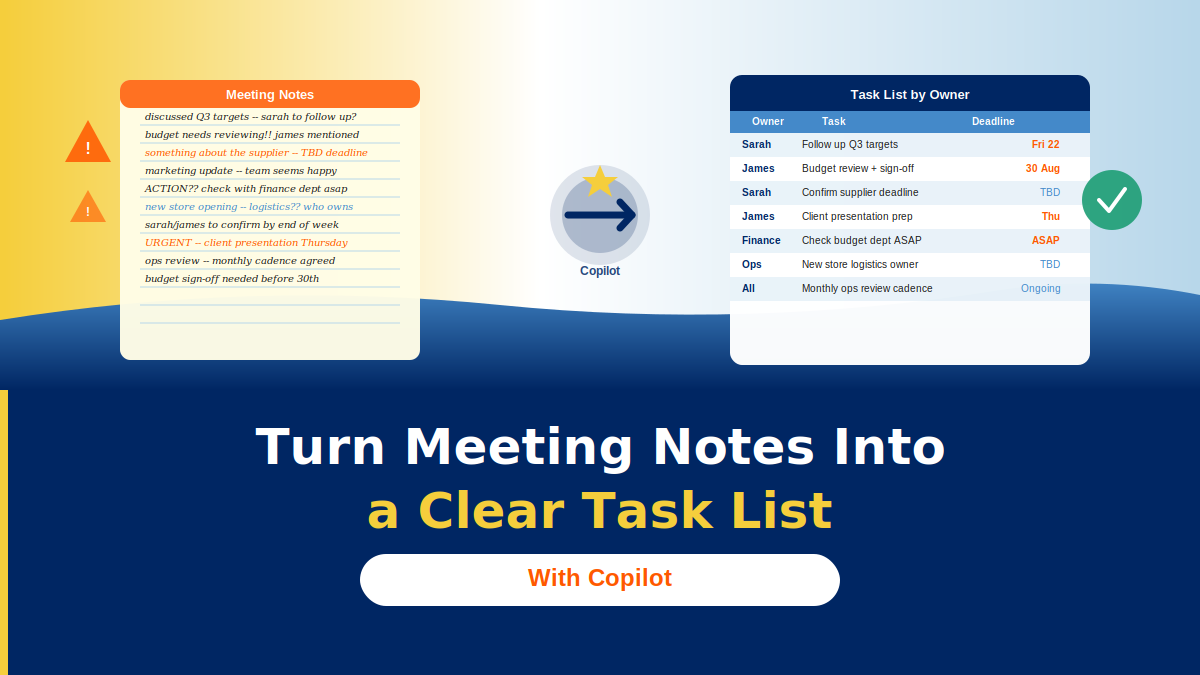
Stop buried actions slipping through. One Copilot prompt turns your meeting notes into a structured task table grouped by person.
Still Chasing Actions After Every Meeting? Let Copilot Sort That
You know how it goes. The meeting ends, everyone says a cheerful goodbye, and somewhere in three pages of notes are eight action items — half of them unattributed, one with a deadline nobody wrote down.
A week later you’re sending a polite chase email. Or worse, something just doesn’t happen.
This is one of the most common pain points for assistants and EAs, and it’s one Copilot handles beautifully.
The Koffee Island Monday meeting
Every Monday, the Koffee Island operations team holds a catch-up. The meeting PA takes notes throughout — but those notes are a mix of decisions, discussion, context, and actions, all jumbled together.
Instead of manually reading back through the notes to pick out who needs to do what by when, she pastes them straight into Copilot with one prompt. Thirty seconds later she has a clean table: owner, task, context, deadline, status. It goes straight into Microsoft Planner.
No chasing. No missed actions. No ambiguity about who said they’d do what.
The Copilot prompt to use
Paste your meeting notes into Copilot, then use this prompt:
Role: Acting as my Meeting Scribe
Goal: Turn the notes below into a task list grouped by person
Context: Include context and deadlines; use ‘TBD’ if none mentioned
Steps: Extract only actions; group by person
Expectations: Table = Owner, Task, Context, Deadline, Status (Not started)
Copilot reads the notes, identifies every action item, groups them by the person responsible, and returns a structured table ready to copy into Planner, To Do, or a follow-up email.
Why this makes such a difference
Three things change when you do this consistently:
- Clear ownership. Every action has a name next to it — no more ‘we said we’d look into that’ with no one quite sure who ‘we’ is.
- Easier follow-ups. The table format makes it simple to filter by person or deadline when you’re chasing progress.
- Fewer things fall through the cracks. When actions are visible and attributed, they get done.
It also saves a significant amount of post-meeting admin time — which adds up fast across a busy week of meetings.
Quick win
Find your notes from the last meeting you attended. Paste them into Copilot and run the prompt above.
You’ll have a clean action table in under a minute. Copy it into wherever you track tasks — and notice how much clearer everything looks.
Want to build more workflows like this?
Cohort 5 of Microsoft 365 with Copilot — The Human Advantage starts on 8th September, with live online sessions every Tuesday:
- Tuesday 8th September
- Tuesday 15th September
- Tuesday 22nd September
- Tuesday 29th September
A practical, real-world programme designed specifically for assistants and executive assistants who want to work smarter with Microsoft 365 and Copilot.
Categories: : Copilot, Microsoft 365 with Copilot, notes, meeting notes, meeting