Microsoft 365 Tips and Training for Assistants
Helping you get more from Microsoft 365 (and Copilot) 🎓✨
Welcome to MS Office Maestro, where Microsoft 365 meets real-world productivity.
This blog is packed with practical, easy-to-use tips for Word, Excel, PowerPoint, Outlook, and Teams, alongside simple, effective ways to use Copilot in your day-to-day work.
If you’re juggling priorities, supporting senior leaders, and looking for smarter ways to manage your day, you’re in the right place.
Read the blog to learn more about becoming more productive with Microsoft Applications
Sign up for Tech Tips and Tales from The MS Office Maestro delivered to your Inbox every Thursday.
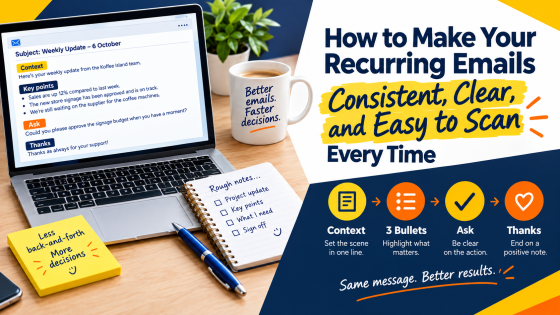
Inconsistent updates slow down approvals and confuse readers. One Copilot prompt and a simple structure fixes that for good.
Learn how to enable and use the Undo Send feature in New Outlook to recall sent emails and avoid mistakes. Follow our step-by-step guide
How to send a meeting request to many and keep email addresses confidential.
Learn how to schedule meetings with colleagues without using the Scheduling Assistant
Read the blog to learn more about becoming more productive with Microsoft Applicaitons.
Sign up for Tech Tips and Tales from The MS Office Maestro.